
How to count traffic on your own website?

Many people want to see the behavior of the client when building their own web pages. There is no doubt that client-facing analytics can always help web administrators run their web pages better. Here’s how to count traffic for your website.
Count Traffic
The following content is based on Google Analytics.
You can click here to visit: Google Analytics.
There are five main steps you can follow to achieve the goal.
- Step I. Generate your personal account.
- Step II. Find specific option in GA.
- Step III. Get your Tracking code .
- Step IV. Embed Tracking code in your page.
- Step V. Finish.
Step I.
You should create your own account in Google Analytics, and then create a recognizable name in the account for the data stream that belongs to you.
Step II.
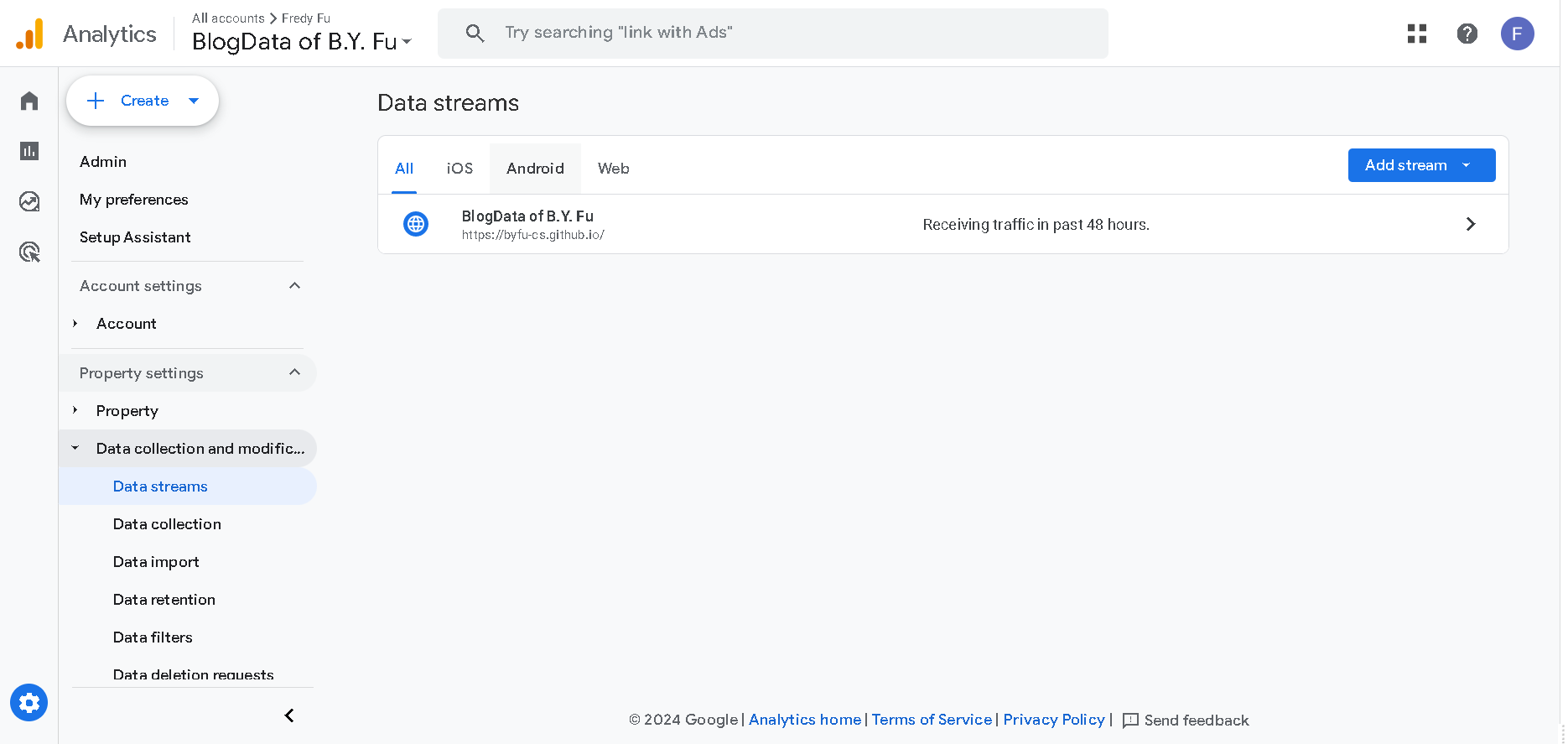
Open ‘Admin’ in the bottom left corner of the page. Then open ‘Data collection and modification’ in the ‘Property settings’ popup on the left. You should select the ‘Data Streams’ entry.The image below shows my workspace, where ids have been processed for privacy reasons.
Step III.
Click on your data stream, and then in the ‘Web stream details’ row to the bottom of the page. Locate the ‘view tag instructions’ TAB in ‘Google tag’ and click on it.
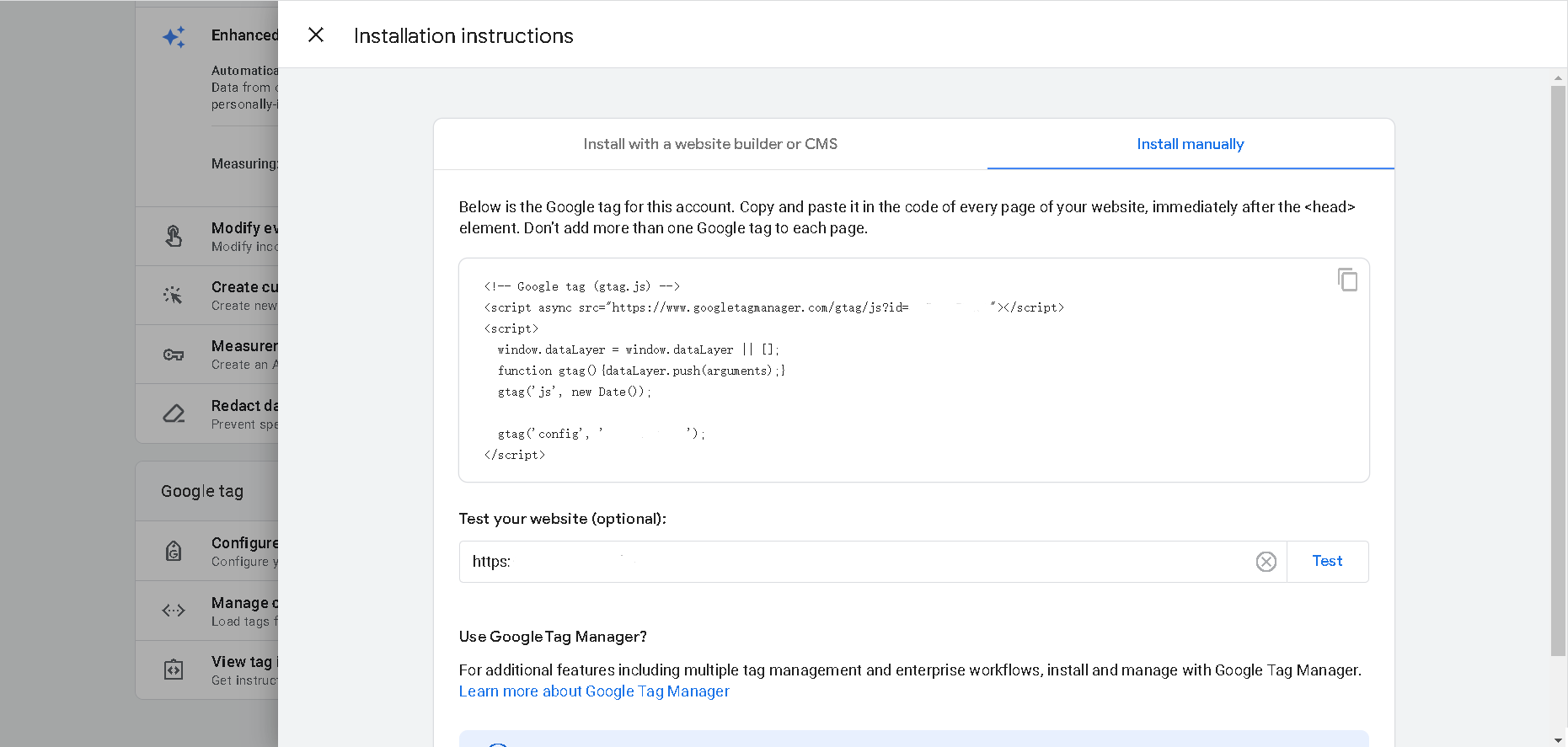
You need to choose ‘Install manually’ as option.
Then you are able to see the Tracking Code of your personsal account is as follows:
1 <!-- Google tag (gtag.js) -->
2 <script async src="https://www.googletagmanager.com/gtag/js?id=xxxxxxxxxx"></script>
3 <script>
4   window.dataLayer = window.dataLayer || [];
5   function gtag(){dataLayer.push(arguments);}
6   gtag('js', new Date());
7   gtag('config', 'xxxxxxxxxx');
8 </script>
You only need to substitue the id into yourself’s.
Step IV.
Google Analytics actually captures your page traffic by embedding Tracking Code in your pages.So you need to copy the code above and copy it into your own website.
For instance, I copied it into the <head> element of my index.html document.
Step V.
Then You can return to Google Analytics and refresh the page to make Google Analytics connect to your page.
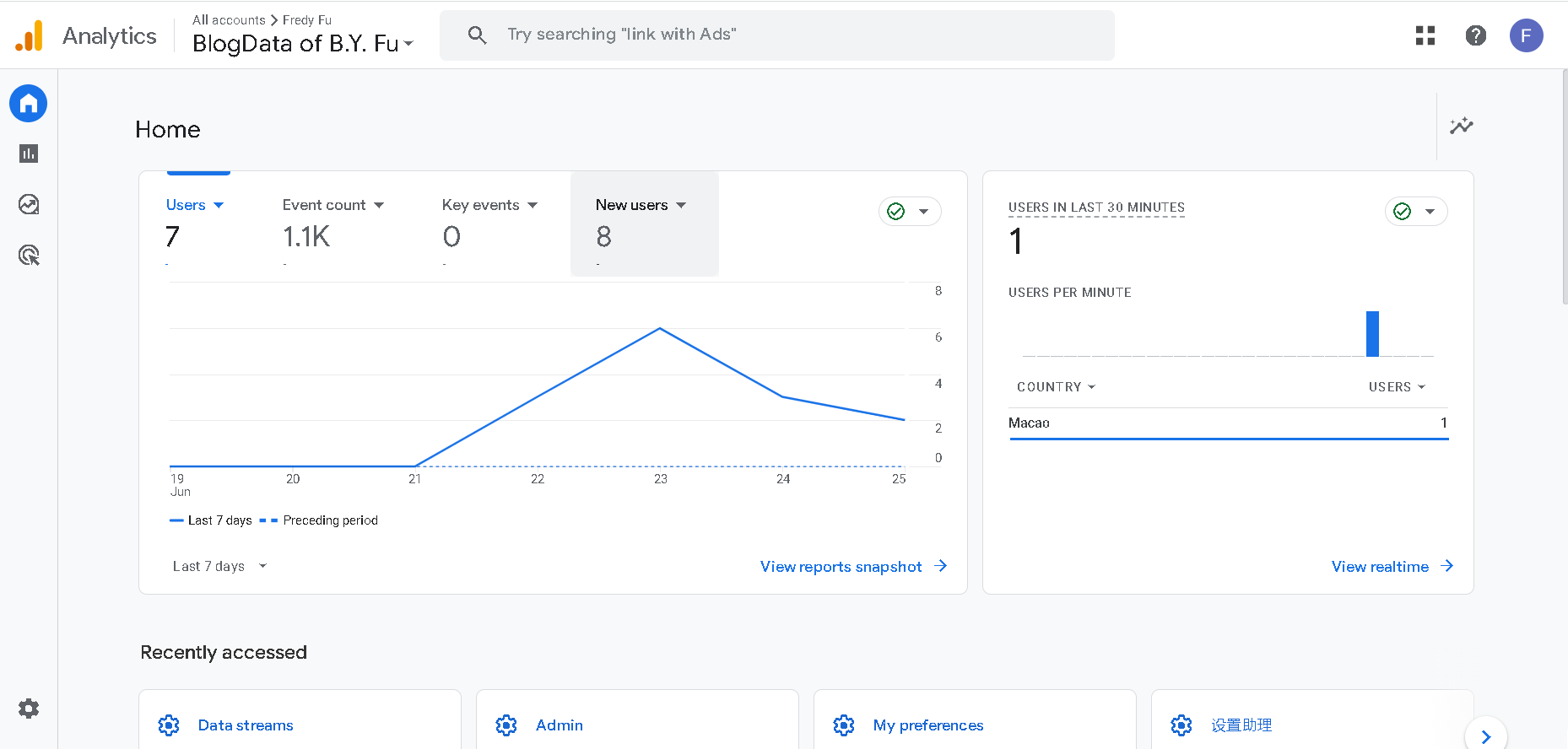
This is the whole tutorial regarding “How to count the traffic on your own website”. If you like it, please offer me a comment support!